In our hyper-connected world, internet speed plays a pivotal role in how we live, work, and communicate. From streaming high-definition videos to enabling seamless remote work and powering smart homes, a fast and reliable internet connection has become a necessity. Yet, understanding internet speed and its complexities is often overlooked, even as it remains the backbone of our digital experiences.
But what exactly does “internet speed” mean, and why does it vary so much from one household or business to another? This blog post aims to demystify the concept of internet speed, explain how it works, and provide insights into optimizing your connection. Whether you’re a casual user or someone who relies on high-speed internet for work, understanding these basics can help you make informed decisions about your connection and troubleshoot common issues effectively.
In this comprehensive guide, we’ll delve into what internet speed entails, how it’s measured, factors influencing it, and why it matters in our day-to-day lives. By the end, you’ll not only understand your speed test results but also know how to ensure you’re getting the best performance possible from your internet provider.

What is Internet Speed?
Internet speed refers to the rate at which data is transmitted between your device and the internet. It is commonly measured in megabits per second (Mbps) or gigabits per second (Gbps). A faster speed means quicker data transmission, allowing for smoother streaming, faster downloads, and reduced lag during video calls or online gaming.
There are three primary components of internet speed:
- Download Speed: Measures how quickly data can be pulled from the internet to your device. This is crucial for activities like streaming videos, downloading files, and browsing websites.
- Upload Speed: Measures how quickly data can be sent from your device to the internet, such as uploading files, video conferencing, or posting content on social media.
- Latency (or Ping): Refers to the delay in data transmission between your device and the server. Low latency is critical for real-time activities like online gaming or video calls.
For instance, a connection with a download speed of 100 Mbps is capable of downloading 12.5 megabytes of data per second. However, understanding your needs is essential; not everyone requires the fastest speeds, but adequate bandwidth ensures a good user experience.
How Internet Speed Works
Internet speed is facilitated by your Internet Service Provider (ISP), which connects your home or business to the global network. The ISP determines the maximum speed available based on the technology and infrastructure they use, such as fiber-optic, DSL, or satellite.
Here’s how internet speed works at a basic level:
- Bandwidth: This refers to the capacity of your internet connection to carry data. Think of it as a highway: the wider the highway (higher bandwidth), the more cars (data) it can accommodate without congestion.
- Network Congestion: When too many users access the same network simultaneously, it can slow down speeds for everyone. This is common during peak usage hours.
- Hardware and Infrastructure: Your router, modem, and even the quality of the cables in your area can significantly affect internet speed. Advanced infrastructure like fiber-optic cables supports much faster speeds than older technologies like copper wires.
Data travels across the internet in the form of packets, which are sent from the server hosting the data to your device. The speed at which these packets are transmitted, received, and acknowledged depends on several factors, including the server’s response time and the number of intermediary devices (hops) between your device and the server.
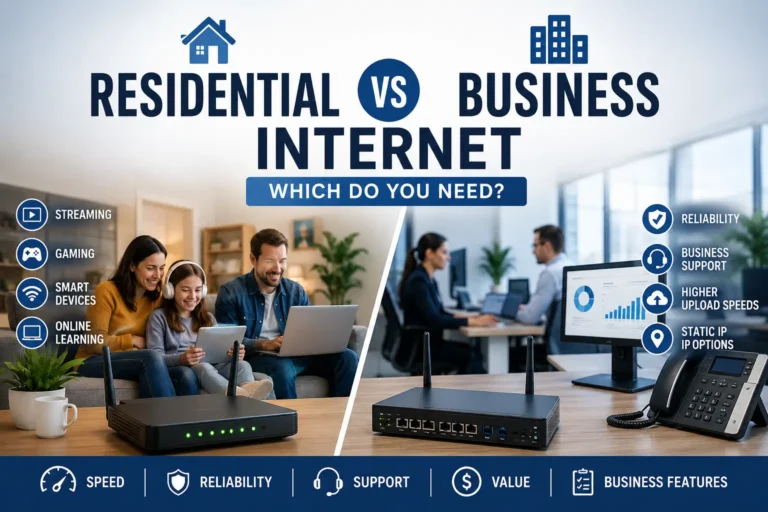
If you are comparing internet options for a home office, small business, or mixed-use setup, speed is only part of the decision.
Reliability, support, upload performance, and business features can matter just as much. Learn more in our guide to residential vs business internet.
Types of Internet Connections
There are several types of internet connections, each offering varying speeds, reliability, and cost-effectiveness. Understanding these options can help you choose a plan that meets your needs.

- Broadband Connections:
- DSL (Digital Subscriber Line): Uses existing telephone lines to deliver internet. Speeds are typically lower than other broadband types, ranging from 1–100 Mbps, but it’s widely available.
- Cable Internet: Delivers faster speeds (up to 1 Gbps) using coaxial cables. It’s ideal for high-demand households but may suffer from slower speeds during peak times.
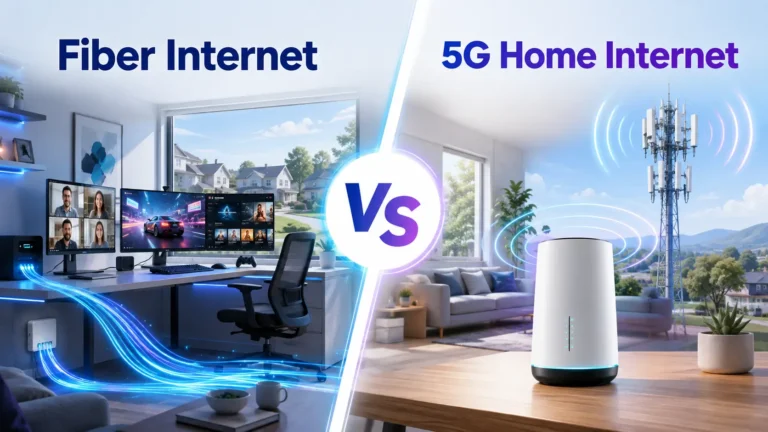
- Fiber-Optic: The fastest and most reliable option, with speeds ranging from 100 Mbps to several Gbps. It uses light to transmit data, making it less susceptible to interference.
- Wireless Connections:
- Satellite: Provides internet access in remote areas but suffers from high latency due to the distance data must travel between satellites and Earth. Speeds range from 25–100 Mbps.
- 4G/5G Mobile Networks: Offer high-speed internet over cellular networks. While 5G can reach speeds comparable to fiber-optic, coverage is still expanding.
- Wi-Fi: A local wireless connection often linked to a broadband network. Speeds depend on the underlying broadband plan and router quality.
Each type of connection has its pros and cons. Fiber-optic offers unparalleled speed and reliability but isn’t available everywhere. DSL and cable are more common but may not meet the needs of heavy internet users. Satellite is often a last resort for rural areas due to its latency issues.
Factors That Impact Internet Speed
Several factors can influence the speed and reliability of your internet connection:
- External Factors:
- Network Infrastructure: Areas with modern infrastructure (e.g., fiber-optic networks) enjoy higher speeds.
- ISP Policies: Some ISPs engage in throttling, intentionally slowing down certain types of traffic, such as streaming or gaming.
- Geographic Location: Remote or rural areas often have slower speeds due to limited infrastructure.
- Internal Factors:
- Router Quality: An outdated router can bottleneck speeds even if you have a high-speed plan.
- Connected Devices: The more devices connected to your network, the slower the speeds for each device.
- Interference: Physical obstructions, outdated wiring, or interference from other devices can degrade Wi-Fi signals.
- Usage Patterns:
- Peak usage times, like evenings when many people are streaming or gaming, can lead to slower speeds due to network congestion.
- Activities such as downloading large files or streaming 4K content require more bandwidth, potentially slowing other devices on the same network.
Being aware of these factors helps in troubleshooting speed issues. For example, upgrading your router, placing it centrally in your home, or switching to a wired connection can often improve performance.
Testing and Measuring Internet Speed

Testing your internet speed is essential to ensure you’re getting what you pay for from your ISP. Speed test tools such as Speedtest by Ookla, Fast.com, and others provide quick and accurate measurements of your connection. You can also use our own Internet Speed Test, facilitated by OpenSpeedTest™.
Here’s how to interpret your results:
- Download Speed: Determines how quickly you can receive data. This is critical for activities such as streaming videos, browsing, and downloading files. Higher speeds provide smoother performance.
- Upload Speed: Indicates how fast you can send data to the internet. This is particularly important for tasks like video calls, uploading files, and live streaming from your end.
- Ping (Latency): Measured in milliseconds (ms). It reflects the time it takes for data to travel from your device to a server and back. Lower values (e.g., <20 ms) are ideal for real-time applications like gaming and video conferencing.
- Jitter: Measures the variation in time delay of data packets during transmission, also in milliseconds (ms). Lower jitter (ideally below 30 ms) ensures stable and consistent performance, especially for real-time services like video conferencing and online gaming. High jitter can result in choppy video or audio quality and unpredictable network behavior.
To get accurate results:
- Test at different times of the day to account for network congestion.
- Use a wired connection to eliminate Wi-Fi interference.
- Disconnect other devices from your network during the test.
Regular testing helps identify issues and ensures you’re getting the speed you’re paying for.
Why Internet Speed Matters
Internet speed directly impacts how we interact with the digital world. A slow connection can frustrate users with buffering videos, laggy video calls, or delayed downloads. Conversely, a fast and reliable connection enhances the user experience across various applications.
- For Individuals:
- Streaming high-definition content requires at least 5–25 Mbps.
- Online gaming demands low latency and speeds of 3–6 Mbps for smooth performance.
- Remote work tools, such as video conferencing, benefit from high upload speeds.
- For Businesses:
- Productivity depends on seamless communication tools, cloud services, and high-speed data transfers.
- E-commerce websites require fast speeds to handle customer traffic and transactions.
- Global Trends:
- As digital services expand, the demand for faster internet speeds continues to grow.
- Bridging the digital divide ensures equitable access to online resources, education, and job opportunities.
Internet speed is more than a convenience; it’s a necessity in today’s digital-first world.
Real-Life Examples to Understand Internet Speed
Understanding internet speed becomes easier when we relate it to everyday activities. Here are a few real-life scenarios to help you grasp how download speeds, upload speeds, latency, and jitter affect your online experience:
Streaming Videos
- Scenario: You’re watching a movie on Netflix in 4K resolution.
- Speed Requirement: 4K streaming requires a steady download speed of at least 25 Mbps. If your speed is lower, the video may buffer or reduce to lower quality. Keep in mind that “at least” means the minimum. Plus, if we talk about multiple home users, we can easily come up to a speed of at least 100 or 200 Mbps. Fortunately, most high speed internet plans offer such or higher speeds.
- Impact of Latency and Jitter: While latency isn’t a major factor here, jitter can cause delays in streaming, leading to buffering or pauses in playback.
Video Calls
- Scenario: You’re on a Zoom call with colleagues or loved ones.
- Speed Requirement: Zoom recommends at least 3 Mbps upload and download speeds for HD video calls. But references from some universities state the speeds for optimal Zoom use should be 10-25 Mbps down load and at least 5 Mbps for upload speed. References: UINDY and SFSU.
- Impact of Latency and Jitter: High latency (e.g., above 100 ms) can cause noticeable delays, making conversations feel unnatural. Jitter over 30 ms can result in choppy video and audio, making it hard to communicate effectively.
Online Gaming
- Scenario: You’re playing an online multiplayer game like Fortnite or Call of Duty.
- Speed Requirement: Most games only need 3 Mbps download and 1 Mbps upload speeds, but latency is critical. For the games like from this scenario, it would be at least 10-25 Mbps. A plan of 200 or 300 Mbps or more with low latency should do it flawlessly here.
- Impact of Latency and Jitter: Low latency (under 50 ms) ensures smooth gameplay. High jitter can make the game feel laggy or cause sudden spikes, leading to a frustrating experience.
Downloading Large Files
- Scenario: You’re downloading a 5 GB software update, a movie, or a game.
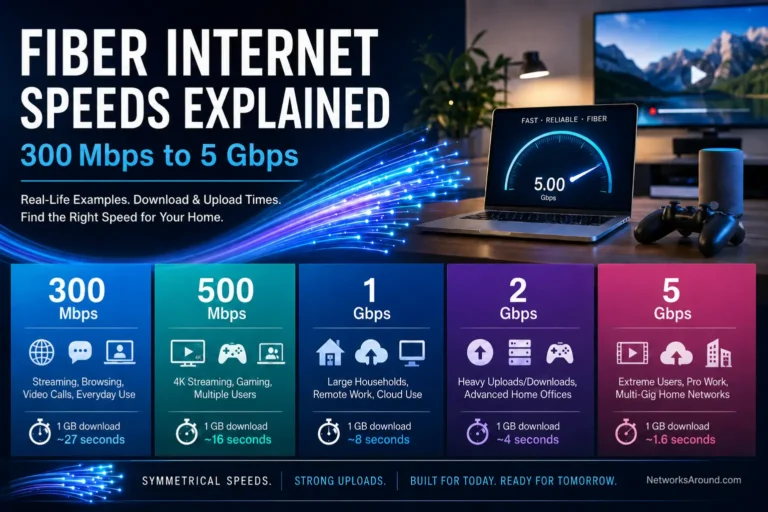
- Speed Requirement: At 100 Mbps download speed, such download would take approximately 7 minutes to download. At 10 Mbps, it would take over an hour. A connection speed of 1 Gbps (1,000 Mbps) would allow you to download this 5 GB in 40 seconds. A 5 Gbps plan would let you upload this in less than a second (0.8).
- Impact of Speed: The higher your download speed, the less time-consuming the task.
Uploading Content
- Scenario: You’re uploading a 500 MB video to YouTube.
- Speed Requirement: At 10 Mbps upload speed, it would take about 7 minutes. At 1 Mbps, it would take nearly an hour. 1 Gbps would let you upload this video in 5 seconds.
- Impact: Faster upload speeds save time and improve efficiency for content creators.
By connecting internet speed metrics to these familiar tasks, it’s easier to understand how different components of speed—download, upload, latency, and jitter—affect your online experience. Whether you’re streaming, gaming, or working, the right speed can make all the difference.
Factors to Consider When Choosing the Optimal Internet Speed
Selecting the right internet speed is crucial for ensuring a seamless online experience. Here are the most important factors to consider when deciding what speed is best for your needs:
Number of Users and Devices
- Why It Matters: The more users and devices connected to your network, the greater the demand on your bandwidth.
- Recommendation:
- For a single user with basic needs, 50 Mbps and over is sufficient.
- For families or households with multiple users and devices, 100–300 Mbps or higher may be necessary.
Online Activities
- Why It Matters: Different activities require different levels of speed and bandwidth.
- Recommendation:
- Browsing and emailing: 10–20 Mbps.
- Streaming HD videos: 25–50 Mbps per stream.
- Gaming or video conferencing: 100 Mbps and low latency.
- 4K streaming or heavy file downloads: 100–300 Mbps or more.
Type of Work or Use
- Why It Matters: Professionals working from home or content creators require more reliable speeds and higher upload bandwidth.
- Recommendation:
- Remote work: At least 50 Mbps for stable video calls and file sharing.
- Content creation: 50 Mbps or higher upload speeds for uploading large files or live streaming.
Internet Connection Type
- Why It Matters: Your internet technology (DSL, cable, fiber-optic, etc.) determines maximum speed.
- Recommendation: Opt for fiber-optic or high-speed cable if available. DSL or satellite may not suffice for demanding tasks.
Future-Proofing
- Why It Matters: Internet speed needs increase over time with advancements in technology and higher-quality streaming.
- Recommendation: Choose a plan that offers room for growth, such as 200–500 Mbps for most households.
Budget
- Why It Matters: Higher speeds often come with higher costs.
- Recommendation: Balance your budget with your internet needs, prioritizing reliability and speed for essential activities.
By evaluating these factors, you can choose a plan that meets your current needs while ensuring a smooth and efficient online experience.
Major Internet Service Providers in the United States
Selecting the right Internet Service Provider (ISP) is crucial for ensuring a reliable and fast internet connection. Here’s an overview of some of the major ISPs in the United States, along with brief descriptions of their services. In alphabetical order:
1. AT&T Internet
- Services: Provides fiber-optic internet with speeds up to 5 Gbps, and fixed wireless broadband options. Has DSL subscribers, but does not offer it anymore.
- Coverage: Operates in 25 states, primarily in the South and Midwest.
- Notable Features: Known for its fiber-optic service, AT&T Fiber, offering high-speed internet suitable for heavy streaming and gaming.
2. Cox Communications
- Services: Offers cable internet with speeds from 5 Mbps to 1 Gbps.
- Coverage: Operates in 19 states, focusing on both residential and business customers.
- Notable Features: Provides customizable plans and a range of bundled services, including home security options.
3. Frontier Internet
- Services: Delivers fiber-optic internet with speeds up to 5 Gbps and DSL services in certain regions.
- Coverage: Serves 25 states, with a focus on rural and suburban areas.
- Notable Features: Recently introduced a 7-gig fiber internet plan, offering some of the fastest residential speeds available.
4. CenturyLink (Now Part of Quantum Fiber for Fiber Services)
- Services: Offers DSL and fiber-optic internet services. DSL speeds range from 15 Mbps to 100 Mbps, while fiber plans can reach up to 940 Mbps.
- Coverage: Operates in 36 states, with a strong presence in rural and suburban areas. Fiber availability is expanding in urban centers.
- Notable Features: CenturyLink offers a Price for Life plan for DSL customers, ensuring consistent pricing with no contracts. Their fiber services (rebranded as Quantum Fiber) provide reliable high-speed options ideal for streaming and gaming.
5. Mediacom
- Services: Offers cable internet with speeds from 60 Mbps to 1 Gbps.
- Coverage: Serves 22 states, primarily in the Midwest and Southeast.
- Notable Features: Provides affordable plans with options for bundling TV and phone services.
6. Optimum Internet (Altice USA)
- Services: Delivers cable internet with speeds up to 400 Mbps and fiber-optic service with speeds up to 1 Gbps in select markets.
- Coverage: Available in 21 states, with a strong presence in the New York tristate area.
- Notable Features: Provides extensive Wi-Fi hotspot networks and flexible plans without annual contracts.
7. Spectrum Internet (Charter Communications)
- Services: Delivers cable internet with speeds starting at 100 Mbps and reaching up to 1 Gbps in most markets.
- Coverage: Serves 42 states, with a strong presence in urban and suburban areas.
- Notable Features: Offers no-contract plans and includes a free modem with its internet services.
8. T-Mobile Home Internet
- Services: Provides wireless home broadband with typical speeds ranging from 72 to 245 Mbps, utilizing its 5G network.
- Coverage: Available in 50 states, with expanding coverage as the 5G network grows.
- Notable Features: Offers simple setup without annual contracts, appealing to customers seeking flexible options.
9. Verizon Fios Internet
- Services: Provides fiber-optic internet with speeds ranging from 50 Mbps to 2 Gbps, as well as DSL services in certain areas.
- Coverage: Available in 13 states, primarily in the Northeast.
- Notable Features: Known for its high-speed fiber-optic network and reliable service, often bundled with TV and phone services.
10. Xfinity High-Speed Internet (Comcast)
- Services: Offers cable internet with speeds up to 2 Gbps, and in select areas, fiber-optic service with speeds up to 10 Gbps (very rare for now).
- Coverage: Available in 41 states, making it one of the most widely accessible ISPs.
- Notable Features: Provides a variety of plans catering to different user needs, including bundled services with TV and phone options.
When choosing an ISP, consider factors such as availability in your area, required internet speed, budget, and customer service reputation. It’s advisable to check the latest offerings and reviews, as services and plans frequently evolve.
Conclusion
Understanding internet speed is key to optimizing your digital experience. From knowing how speeds are measured to troubleshooting factors that affect performance, being informed empowers you to make smarter decisions about your connection. Whether you’re a casual user or a heavy internet-dependent individual, testing your speed and upgrading your infrastructure where needed can significantly improve your online activities.
Take charge of your internet experience today—run a speed test, evaluate your needs, and work with your ISP to ensure you’re getting the best possible performance. A faster, more reliable connection awaits!
► Check Top Internet Providers in U.S.
Blog references: