Internet service now does much more than keep a household connected. A single connection may support streaming, gaming, online school, smart home devices, video meetings, file sharing, and remote work. For many people, a strong residential plan can handle all of that without a problem.
Business internet serves a different purpose. It supports daily operations, customer communication, payment systems, cloud software, VoIP phones, security cameras, and employee productivity. When the connection goes down, a business may lose sales, appointments, or customer trust.
That is why the choice between residential vs business internet comes down to more than speed. The better option depends on how you use the connection, how many people rely on it, and what happens if the service stops working.
If you mainly need internet for your home, you can start by comparing residential internet providers. If your connection supports business operations, customer service, or revenue, you may also want to compare business internet services before choosing a plan.
Table of Contents
Residential vs Business Internet: What’s the Difference?
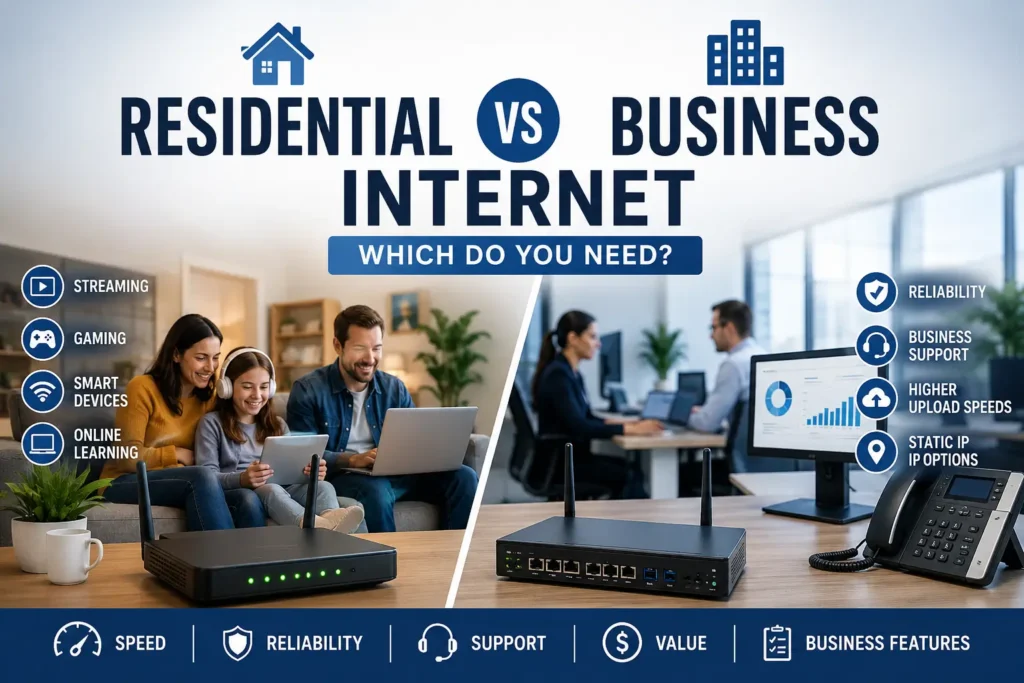
The main difference between residential and business internet is the purpose of the connection. Residential internet supports everyday household use. Business internet supports work environments where reliability, support, upload performance, and business features may matter more.
A residential plan can still offer fast speeds. In many areas, fiber and high-speed cable plans give households plenty of bandwidth for streaming, gaming, video calls, and remote work. However, residential plans usually focus on personal use and standard customer support.
Business internet focuses more on operational needs. A business may need stronger support, better upload options, static IP availability, or service terms designed for commercial use. These features can matter when a connection supports sales, employees, customers, security systems, or cloud tools.
In simple terms, residential internet works best when the connection supports a household. Business internet makes more sense when the connection supports a business.
What is Residential Internet?
Residential internet is internet service for homes, apartments, condos, and personal living spaces. It helps households stay connected for everyday online activities.
Most people use residential internet for:
- Streaming movies, shows, and music
- Browsing websites and checking email
- Online gaming
- Video calls with friends, family, school, or work
- Online classes and homework
- Smart TVs, speakers, cameras, and home devices
- Basic work-from-home tasks
Residential internet usually offers a practical balance of speed, price, and availability. It often costs less than business internet, and many providers offer plans with fast download speeds for common household use.
For many homes, this is the right choice. A strong residential internet plan can support multiple devices, remote work, streaming, and school without requiring business-level features. If you want to compare options for home use, you can check residential internet options in your area.
What is Business Internet?
Business internet is internet service for offices, shops, restaurants, clinics, warehouses, studios, and other work locations. It can also work for serious home-based businesses that need more than a standard residential connection.
Businesses often use internet service for:
- Employee computers and workstations
- Cloud software and file sharing
- VoIP phone systems
- Payment terminals and point-of-sale systems
- Customer Wi-Fi
- Security cameras and monitoring systems
- Online booking tools
- Remote team access
- Video meetings and client communication
Business internet often costs more than residential internet, but the extra cost may support features that matter to a company. Depending on the provider and plan, business service may offer stronger technical support, static IP options, better upload performance, and service terms built around business use.
A small business does not always need the most expensive plan. However, if your internet connection supports daily operations, customer payments, employee productivity, or client communication, business service may offer better value than a basic home plan. To explore options, you can compare business internet services.
Residential vs Business Internet: Main Differences
Residential and business internet can both provide fast, reliable access, but they serve different needs. A household usually cares about streaming, browsing, gaming, schoolwork, smart devices, and remote work. A business may care more about uptime, support, upload performance, payment systems, customer communication, and daily operations.
The table below shows the main differences.
| Feature | Residential Internet | Business Internet |
|---|---|---|
| Best For | Homes, apartments, families, students, and remote workers | Offices, shops, restaurants, clinics, studios, and small businesses |
| Main Purpose | Everyday personal and household use | Business operations and productivity |
| Price | Usually lower | Usually higher |
| Support | Standard customer support | Business-focused support |
| Reliability Needs | Good for normal home use | Better for operations that depend on uptime |
| Download Speeds | Often fast enough for streaming, gaming, and browsing | Often fast enough for teams, cloud tools, and business systems |
| Upload Speeds | May vary by plan and connection type | May offer stronger upload options, especially with fiber |
| Static IP Options | Usually not standard | Often available as an option |
| Service Terms | Designed for consumer use | Designed for commercial use |
| Best Advantage | Lower cost and simple home connectivity | Better support, features, and reliability for business needs |
A fast residential internet plan can work well for many households and remote workers. If you stream video, use video calls, browse the web, and connect smart home devices, a strong home internet plan may give you everything you need.
Business internet becomes more important when the connection supports money, customers, employees, or essential tools. A retail shop may need internet for payment terminals. A clinic may need it for scheduling and cloud-based records. A small office may need it for VoIP phones, video meetings, file sharing, and remote access.
The biggest difference is not always speed. In many cases, the real difference comes from support, reliability, upload performance, static IP availability, and business-ready features. Residential internet focuses on keeping a household connected. Business internet focuses on keeping operations running.
Speed: Why Faster Is Not Always Better
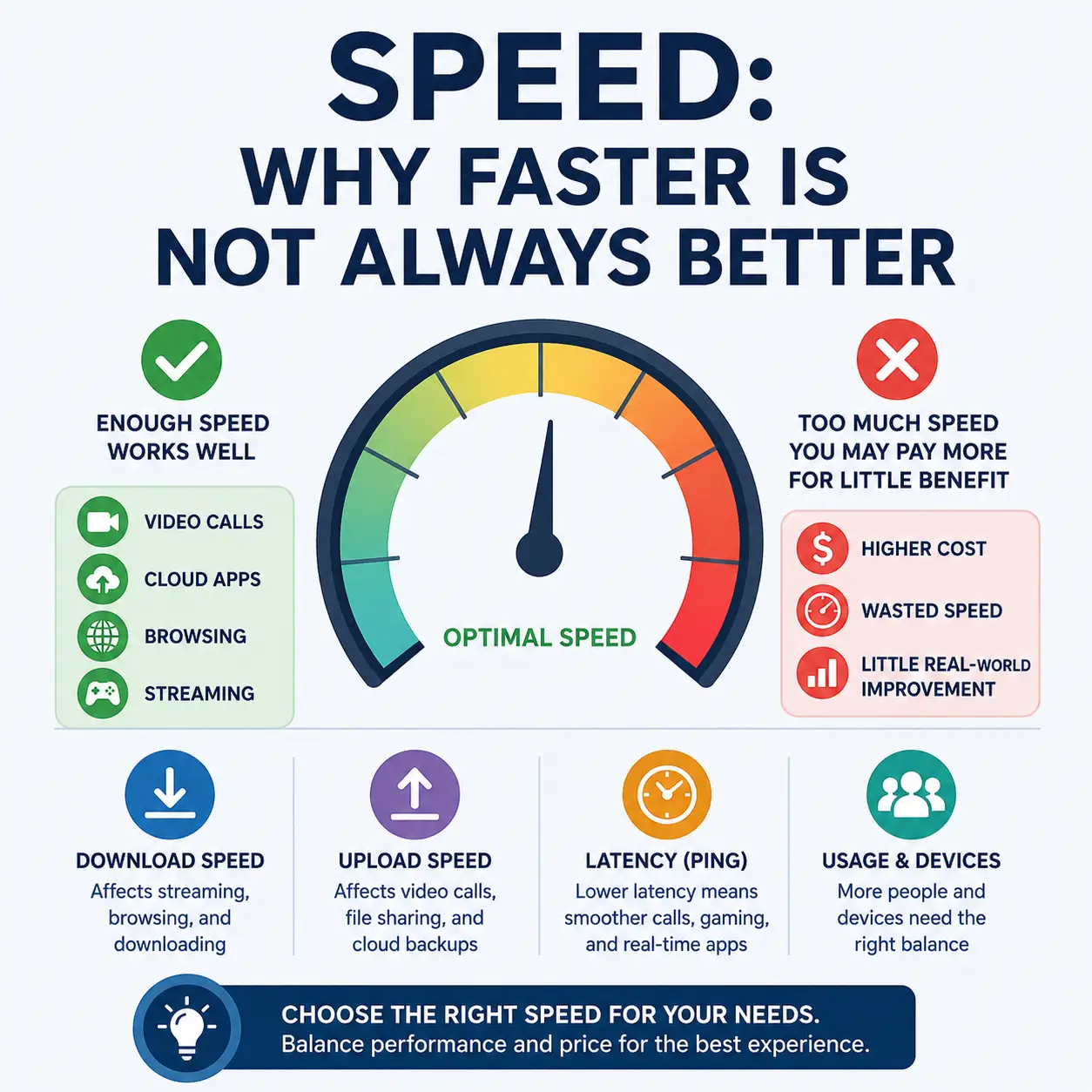
Speed matters, but it should not decide everything. A plan with a high advertised download speed may look impressive, yet it may not solve the problems that matter most for your home or business.
For residential users, download speed often gets the most attention. It affects streaming, browsing, gaming downloads, app updates, and everyday online use. A household with several people may need enough speed for smart TVs, laptops, phones, tablets, and gaming systems at the same time.
Business users often need to look deeper. Download speed still matters, but upload speed can matter just as much. Upload speed affects video meetings, cloud backups, file sharing, security camera uploads, content publishing, and remote work tools. A plan with fast downloads but weak uploads may feel limiting in a busy office or serious home office.
Latency also matters. Latency measures how quickly data moves back and forth between your device and the internet. Lower latency can improve video calls, online gaming, VoIP phone systems, and real-time business apps.
Connection type also plays a role. Fiber internet often offers stronger upload performance than many cable plans, especially when the plan includes symmetrical speeds. Symmetrical internet gives users similar download and upload speeds, which can help businesses that send large files, run cloud tools, or host frequent video meetings.
Before choosing a plan, think about what your connection actually needs to do. A household that streams movies and browses the web may not need the fastest plan available. A small business with cloud software, VoIP phones, and payment systems may need a plan that offers better reliability, upload performance, and support instead of just a bigger speed number.
In short, faster does not always mean better. The better plan is the one that matches your real usage.
⚡ Speed numbers can look simple, but they do not always tell the full story.
Download speed, upload speed, latency, and device usage all affect how an internet plan performs in real life.
To better understand these terms before comparing plans, read our guide on what internet speeds mean.
Reliability and Support
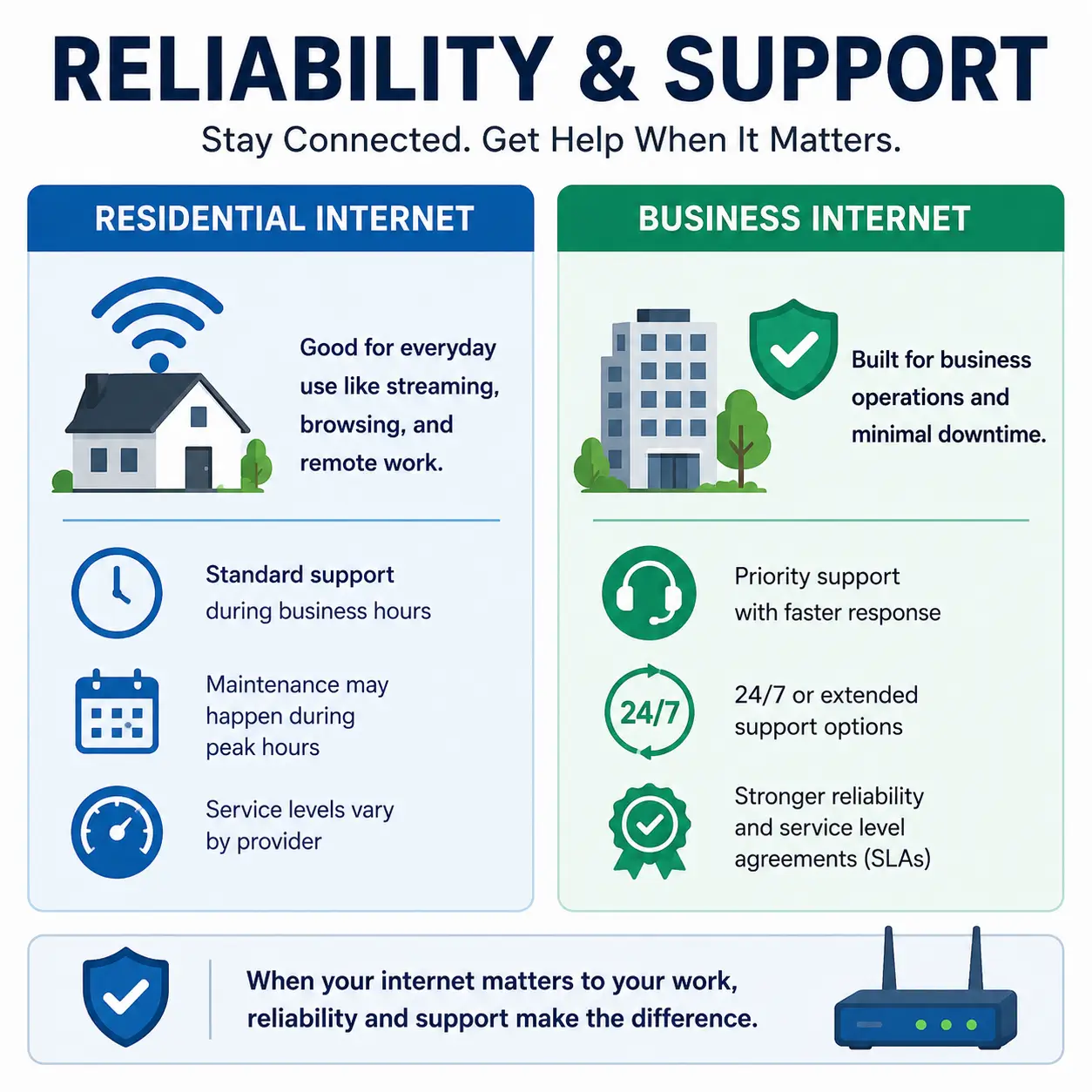
Reliability becomes more important when more people depend on the connection. A home internet outage can interrupt streaming, schoolwork, gaming, or a video call. That can cause frustration, but it may not always create a financial loss.
A business outage can create bigger problems. If the internet goes down, a business may lose sales, delay appointments, miss customer messages, interrupt employee work, or lose access to important cloud tools. For some companies, even a short outage can affect daily revenue.
Support also matters. Residential internet usually includes standard customer support. That may work well for most households. If a home connection has a problem, the user can contact the provider, troubleshoot the issue, and schedule service if needed.
Business internet may offer support designed for commercial needs. Depending on the provider and plan, business customers may get more suitable support options, stronger service terms, or faster help for problems that affect operations. This can make a difference when a business depends on the internet to serve customers or keep employees productive.
Consider a simple example. If a home user loses internet during a movie, the problem is annoying. If a retail shop loses internet during business hours, payment terminals may stop working. Or, if a clinic loses internet, staff may struggle to access scheduling tools. If an office loses internet, employees may lose access to cloud files, VoIP phones, and video meetings.
That is why reliability can matter more than raw speed. A slightly slower connection with stronger support may serve a business better than a faster plan that lacks business-focused features.
For households, residential internet often provides the right mix of price and performance. For businesses, reliability and support can protect productivity, customer service, and revenue.
Static IP Addresses and Business Features
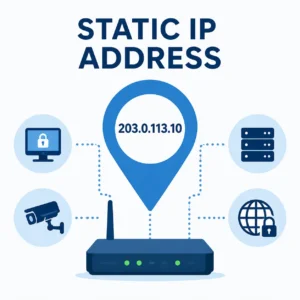
Some business internet plans include features that most households do not need. One of the most common examples is a static IP address.
An IP address works like an online address for your internet connection. Most residential plans use a dynamic IP address, which means the address can change over time. That works fine for normal home use, including streaming, browsing, gaming, video calls, and smart home devices.
A static IP address stays the same. This can help businesses that need stable remote access, advanced networking, or certain online tools. For example, a company may use a static IP address for VPN access, security systems, remote desktops, servers, or business software that needs a consistent connection point.
Business users may need a static IP address for:
- VPN connections
- Remote employee access
- Security cameras
- Business servers
- Remote desktop tools
- Advanced network settings
- Certain cloud or software platforms
- Point-of-sale or payment systems
Most households do not need this feature. If you only use the internet for streaming, browsing, school, gaming, and basic work-from-home tasks, a dynamic IP address will usually work well.
Business internet may also include other features that support daily operations. Depending on the provider and plan, these may include business-focused support, stronger upload options, separate guest Wi-Fi setup, managed networking options, or service terms designed for commercial use.
These features do not matter to everyone. A small home office may only need a reliable residential connection. A retail shop, office, clinic, or studio may need more. If your internet connection supports customers, employees, payments, cloud tools, or security systems, business features may provide better long-term value than a standard home plan.
When Residential Internet Is Enough
Residential internet is enough for many homes, home offices, and remote workers. A strong home internet plan can support streaming, browsing, gaming, smart devices, online school, and video meetings without requiring business-level features.
Residential internet may work well if you mainly use the connection for everyday household needs. This includes watching movies, checking email, joining video calls, downloading games, using social media, managing smart home devices, or helping children complete schoolwork.
It can also work well for basic remote work. If you use email, cloud documents, messaging apps, and occasional video meetings, a residential plan may give you the speed and reliability you need. Many remote workers do not need a static IP address, business-class support, or advanced networking features.
Residential internet may be the better choice if you:
- Use the internet mainly at home
- Stream, browse, game, and connect smart devices
- Work from home with basic video meetings
- Do not need a static IP address
- Do not run payment systems or customer-facing tools
- Do not rely on VoIP phones for business calls
- Want a lower monthly price
- Prefer a simple household internet plan
Cost also matters. Residential internet usually costs less than business internet, which makes it a practical choice for households that do not need commercial features. Paying extra for business service may not make sense if your connection does not support sales, customers, employees, or daily business operations.
If your main goal is home connectivity, you can start by comparing high-speed residential internet providers available in your area.
When Business Internet Makes More Sense
Business internet makes more sense when the connection supports work that affects customers, employees, sales, appointments, or daily operations. In these situations, internet service does more than keep people online. It helps the business run.
A business may need internet for payment terminals, cloud software, VoIP phones, security cameras, online booking tools, employee computers, file sharing, customer Wi-Fi, and video meetings. If the connection fails, the business may lose money, slow down service, or create frustration for customers and staff.
Business internet may be the better choice if you:
- Run a small business, office, shop, clinic, studio, or restaurant
- Have employees or customers on-site
- Use payment terminals or point-of-sale systems
- Depend on cloud software or online booking tools
- Use VoIP phones for business communication
- Need reliable video meetings
- Upload large files or backups often
- Use security cameras or monitoring systems
- Need a static IP address
- Lose money when the internet goes down
Business internet can also help home-based businesses that need stronger support or more dependable service. For example, a consultant, designer, developer, accountant, or content creator may need better upload performance, stable video calls, or reliable access to cloud tools.
The higher cost can make sense when the connection protects productivity and revenue. A cheaper residential plan may save money each month, but it may not offer the right features if the internet supports customer payments, remote employees, business phones, or critical software.
If your connection supports daily operations, it may be worth reviewing business internet providers before choosing a standard home plan.
Can You Use Residential Internet for a Home Business?
Yes, many people can use residential internet for a home business. A standard home internet plan may work well if you work alone, use common online tools, and do not need special networking features.
For example, residential internet may be enough for a freelancer, consultant, online seller, tutor, writer, designer, or remote worker who mainly uses email, video calls, cloud documents, social media, and basic file sharing. If the connection supports one person and a few devices, a strong residential plan can often handle the workload.
However, a home business may outgrow residential internet. If your work depends on stable video meetings, large file uploads, cloud backups, VoIP calls, customer-facing tools, or remote access, you may need to compare business internet options.
You may want to consider business internet for a home business if you:
- Take frequent client video calls
- Upload large files often
- Use VoIP phones for business calls
- Depend on cloud software throughout the day
- Run online sales tools or booking systems
- Need a static IP address
- Need remote access to business systems
- Cannot afford long service interruptions
Residential internet can work well for many home-based businesses, but the right choice depends on risk. If an outage would only slow you down, residential internet may be enough. If an outage would stop sales, delay client work, or interrupt customer service, business internet may offer better protection.
Can You Use Business Internet at Home?
Yes, some people can use business internet at home, depending on provider availability, address eligibility, and service rules. This option can make sense when a home also functions as a serious workplace or business location.
Business internet at home may help consultants, developers, designers, accountants, content creators, online business owners, and remote professionals who need a more dependable connection. It can also help people who host business systems, use frequent video meetings, upload large files, or need stronger technical support.
A home-based business may choose business internet for:
- More reliable work-from-home performance
- Better upload speed options
- Static IP availability
- Business-class support
- VoIP phone systems
- Security camera access
- Remote desktop or VPN use
- Cloud-based business tools
The main drawback is cost. Business internet usually costs more than residential internet, so the extra features should justify the higher monthly price. If you only need internet for normal household use and basic remote work, a residential plan may still make more sense.
Business internet at home works best when the connection supports income, clients, operations, or professional tools. If your home internet functions like a business utility, not just a household service, then business internet may be worth comparing.
Residential Internet vs Business Internet for Remote Work
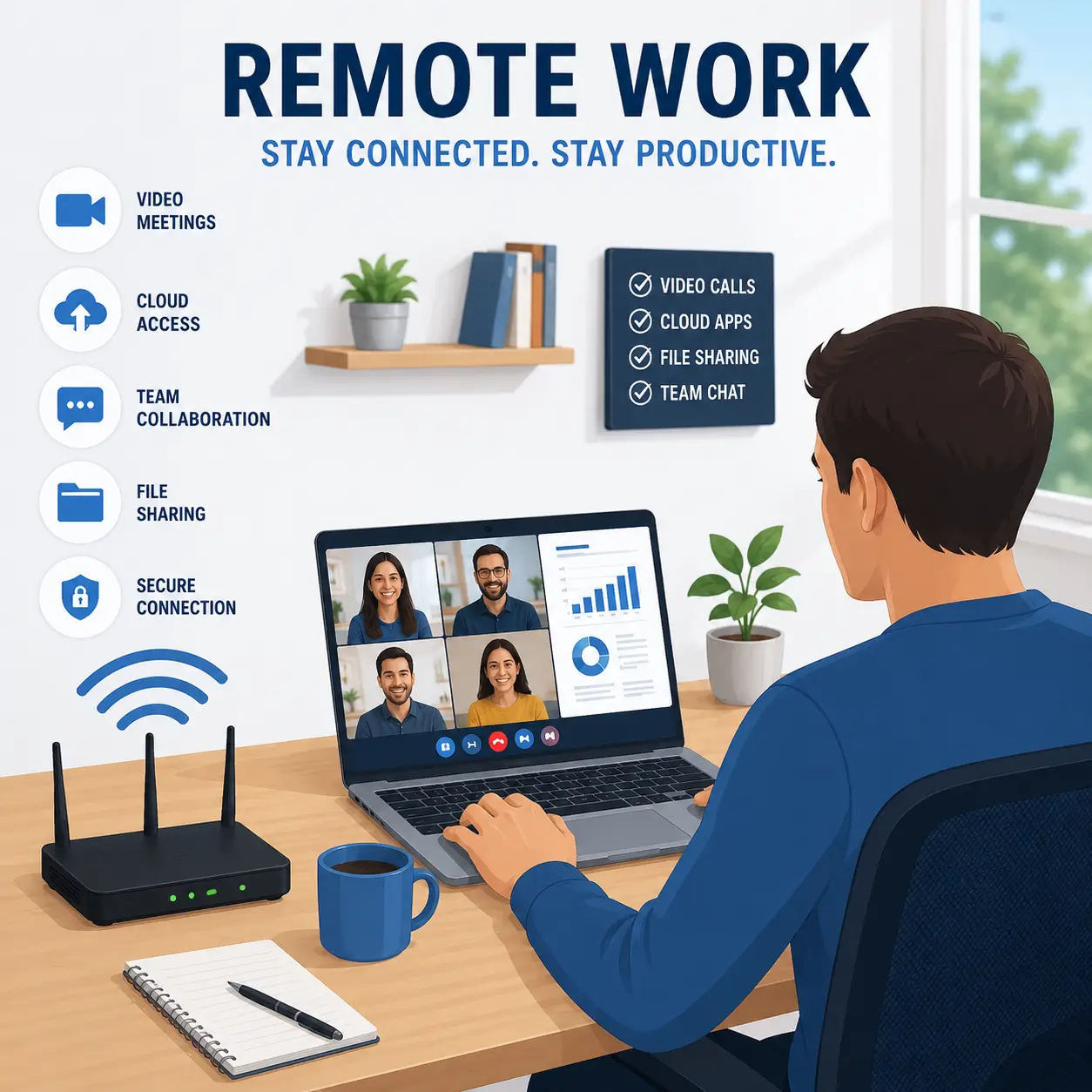
Remote work has made the choice between residential and business internet more important. Many people now use their home connection for video meetings, cloud apps, file sharing, VPN access, and team communication every day. For most remote workers, a strong residential internet plan can handle these tasks well.
Residential internet usually works for remote work if you mainly use email, messaging apps, web browsing, cloud documents, and video calls. It can also support common work tools while the rest of the household streams, studies, or uses smart devices. If your plan has enough speed and your Wi-Fi setup works well, you may not need business internet.
However, some remote workers need more than basic home connectivity. Upload speed can matter if you send large files, back up work to the cloud, publish videos, use design files, or join long video meetings. Latency can also matter if you use VoIP calls, remote desktop tools, or real-time business apps.
Business internet may make more sense for remote work if your home office supports client-facing or revenue-critical tasks. For example, a consultant who spends all day on client calls, a designer who uploads large project files, or a small business owner who uses cloud tools and VoIP phones may benefit from stronger support and business-ready features.
You may want to compare business internet for remote work if you:
- Need reliable video meetings throughout the day
- Upload large files or backups often
- Use a VPN or remote desktop connection
- Depend on cloud-based business software
- Use VoIP phones for work calls
- Need a static IP address
- Run a home-based business
- Lose income when the internet goes down
Household congestion also matters. A remote worker may have a strong plan, but the connection can still feel slow if multiple people stream, game, download files, or join video calls at the same time. In that case, upgrading the residential plan or improving the home Wi-Fi setup may solve the problem without switching to business internet.
For most people, residential internet is enough for remote work. Business internet becomes worth considering when the home connection supports income, clients, business tools, or work that cannot stop during an outage.
How to Choose Between Residential and Business Internet
The best choice depends on how you use the connection. A fast plan may look attractive, but speed alone does not tell the full story. You also need to think about reliability, support, upload performance, business features, and the cost of downtime.
Start with one simple question: does the connection support a household or a business?
If you mainly use the internet for streaming, browsing, school, gaming, smart home devices, and normal remote work, residential internet will usually make the most sense. It often costs less and gives most households the speed they need for everyday use.
If the connection supports customers, sales, employees, cloud tools, phones, security systems, or daily operations, business internet may offer better value. In that case, reliability and support may matter more than getting the lowest monthly price.
Before choosing a plan, ask these questions:
- Is the connection mainly for home use or business operations?
- How many people and devices will use it?
- Do you need strong upload speeds for video calls, file sharing, or cloud backups?
- Would an outage cost you money or interrupt customer service?
- Do you need a static IP address?
- Do you use VoIP phones, payment systems, cloud software, or security cameras?
- Do you need stronger technical support?
- Is price or reliability more important?
Choose residential internet if you want a lower-cost plan for home use, streaming, browsing, gaming, school, smart devices, and basic remote work. A strong residential plan can handle most household needs, especially if your provider offers fiber or high-speed cable internet in your area.
Choose business internet if the connection supports work that affects revenue, customers, employees, appointments, or daily productivity. Business internet may cost more, but it can make sense when you need stronger support, better upload options, static IP availability, or features built for commercial use.
You should also think about future needs. A household with one remote worker may do well with residential internet today. A growing home business, small office, or shop may need business internet later as more devices, tools, and customers depend on the connection.
The right plan is the one that matches your real use. Residential internet works best when the connection keeps a home online. Business internet works best when the connection helps a business keep working.
The Right Internet Plan Depends on What’s at Stake
Residential internet is usually the right choice for households, students, families, and most remote workers. It can support streaming, browsing, gaming, smart devices, online school, and everyday work-from-home tasks at a lower monthly cost. For many people, a strong residential plan offers the best balance of speed, price, and simplicity.
Business internet makes more sense when the connection supports real business activity. If your internet service helps you process payments, serve customers, manage appointments, run cloud tools, support employees, use VoIP phones, or protect revenue, the extra cost may be worth it.
The decision should not come down to speed alone. A fast residential plan may work well for home use, but a business may need stronger support, better upload performance, static IP options, or service terms designed for commercial use.
Choose residential internet if your main goal is reliable home connectivity at a practical price. Choose business internet if downtime could cost you money, interrupt customer service, or slow down daily operations.
Home users can start by comparing residential internet providers, while offices, shops, and small businesses should review business internet services before choosing a plan.
Frequently Asked Questions About Residential vs Business Internet
Is business internet faster than residential internet?
Business internet can be faster than residential internet, but that is not always the case. Some residential fiber and high-speed cable plans offer very fast download speeds. The bigger difference often comes from upload performance, support, reliability features, static IP options, and service terms designed for business use.
Is business internet more reliable than residential internet?
Business internet often focuses more on reliability because companies may depend on internet access for payments, customer service, cloud software, phones, and employee productivity. However, reliability still depends on the provider, connection type, plan, and local network conditions.
Can I use residential internet for a small business?
Yes, many small home-based businesses can use residential internet. A residential plan may work well if you work alone, use email, join video calls, manage cloud documents, and do not need special business features. Business internet may make more sense if you use payment systems, VoIP phones, security cameras, remote access, or customer-facing tools.
Why does business internet cost more?
Business internet usually costs more because it may include business-focused support, stronger upload options, static IP availability, commercial service terms, or features designed for daily operations. The higher price can make sense when internet access supports revenue, employees, customers, or essential business systems.
Do remote workers need business internet?
Most remote workers do not need business internet. A strong residential plan usually works well for video meetings, email, cloud apps, web browsing, and basic file sharing. Business internet may help remote workers who run a home business, upload large files often, need a static IP address, use VoIP phones, or lose income when the connection goes down.
What is better for a home office?
Residential internet works well for most home offices. It can support video calls, cloud apps, messaging tools, and normal work tasks at a lower price. Business internet may work better for a serious home office that supports client calls, large uploads, business phones, remote access, or revenue-critical work.
Does business internet include a static IP address?
Some business internet plans offer static IP addresses, either included or as an add-on. A static IP can help with VPN access, remote desktop tools, business servers, security systems, and advanced networking. Most households do not need a static IP address.
Should I choose residential or business internet if I run a shop or office?
A shop, office, restaurant, clinic, or studio should usually compare business internet options. If the connection supports payment terminals, employee workstations, customer Wi-Fi, cloud software, phones, or security systems, business internet may offer features that better fit daily operations.
Is residential internet good enough for video meetings?
Yes, residential internet can work well for video meetings if the plan has enough speed and the home Wi-Fi network performs well. If video calls freeze often, check upload speed, Wi-Fi coverage, device congestion, and connection type before switching to business internet.
What is the simplest way to choose between residential and business internet?
Choose residential internet if the connection mainly supports home use, entertainment, school, smart devices, and basic remote work. Choose business internet if the connection supports customers, sales, employees, business phones, payment systems, cloud tools, or work that cannot stop during an outage.
Compare AT&T Residential and Business Internet Options
If you already know you want a major national provider, AT&T is worth comparing for both home and business internet service. The right option depends on how you plan to use the connection.
For home users, AT&T residential internet may be a good fit for streaming, browsing, gaming, online school, smart home devices, and everyday remote work. If your household mainly needs fast and reliable internet at a practical monthly price, start by reviewing AT&T residential internet plans.
For offices, shops, home-based businesses, and customer-facing work, AT&T business internet may be the stronger choice. Business service can make more sense when your connection supports payment systems, VoIP phones, cloud software, employee productivity, customer communication, or other daily operations. If downtime could affect your work or revenue, compare AT&T business internet plans before choosing a standard residential plan.
In simple terms, choose the residential option if you need internet for your home. Choose the business option if the connection helps run your business. Check the plans now:
👉 AT&T Residential Internet | 👉 AT&T Business Internet